How do I track more than one service that I offer?
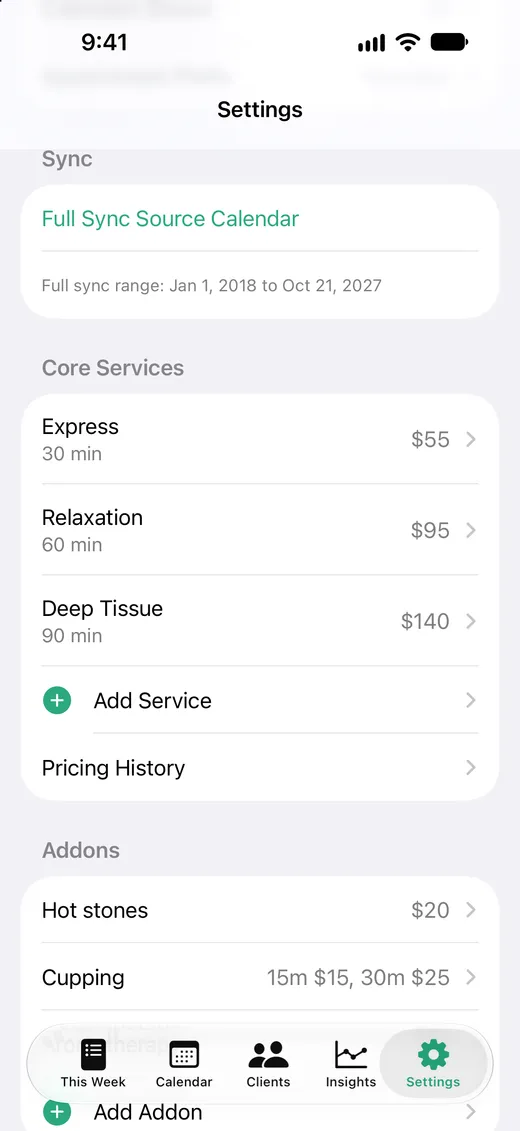
Add each service you offer in Settings with a name, a length, and a price. When you book, you pick the service with one tap, and Solo blocks the right amount of time and charges the right price.
Add a service
- 1 Open the Settings tab.
- 2 Under Core Services, tap Add Service.
- 3 Give it a name, like “Deep Tissue”.
- 4 Set how long it takes with the stepper, or tap one of the common lengths.
- 5 Enter your price and tap Save.
To change a service, tap it in the list. To remove one you no longer offer, swipe left on it. Past appointments keep the price they were booked at.
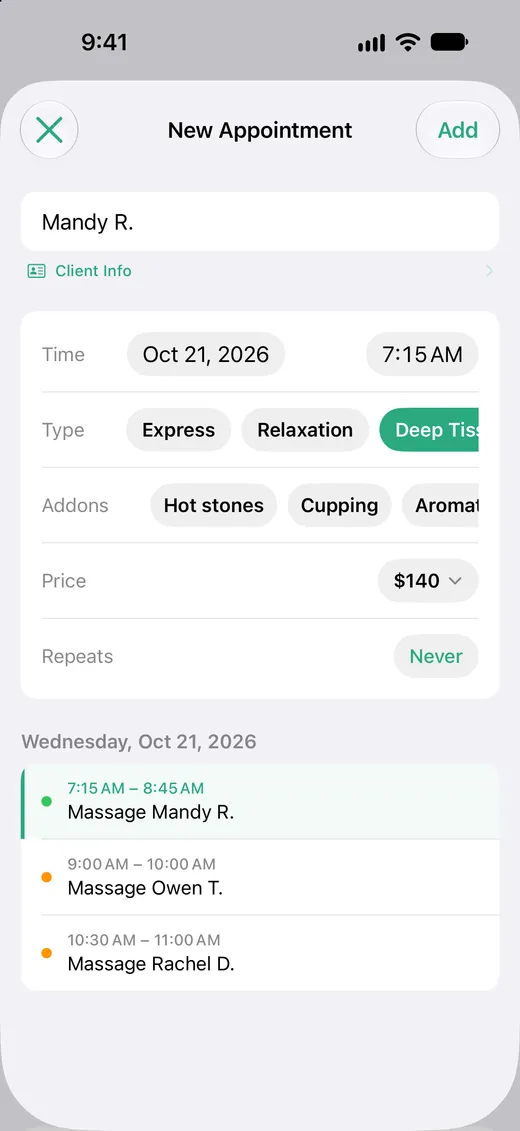
Pick the service when you book
- 1 Start a new appointment.
- 2 Under Type, tap the service.
- 3 The price updates, and the appointment is booked for that service's length.
Give each service its own length
Solo tells services apart by how long they take. That's how it recognizes appointments you add or move in the Calendar app, too. If two services take the same time, they share one price and one place in your reports.
If you offer two versions of the same length at different prices, like a 60-minute relaxation massage and a 60-minute deep tissue, set one up as the service and the other as an add-on that covers the difference.
What you'll see in your calendar
Solo writes the service length into the event notes so it can price the visit correctly, even if the event is later stretched in the Calendar app.
Core: 90m
Leave these lines as they are. Anything else you write in the notes is kept.
How it affects your totals
Each visit is priced from its service. This Week, the month total in Calendar, and Insights all add up from those prices.
Pro's Duration Mix chart in Insights shows how many sessions of each length you did each month. It's a quick way to see whether your longer, higher-priced services are growing.