Switch in an afternoon
Most scheduling apps start you with an empty client list and a weekend of data entry. Solo starts with the calendar you have been keeping all along.
Setup scans your calendar
Pick the calendar where your appointments live. Solo reads through its events and shows you progress as it goes. When it is done you have clients, visit history, and this year's revenue, without typing a single name.
How titles become clients
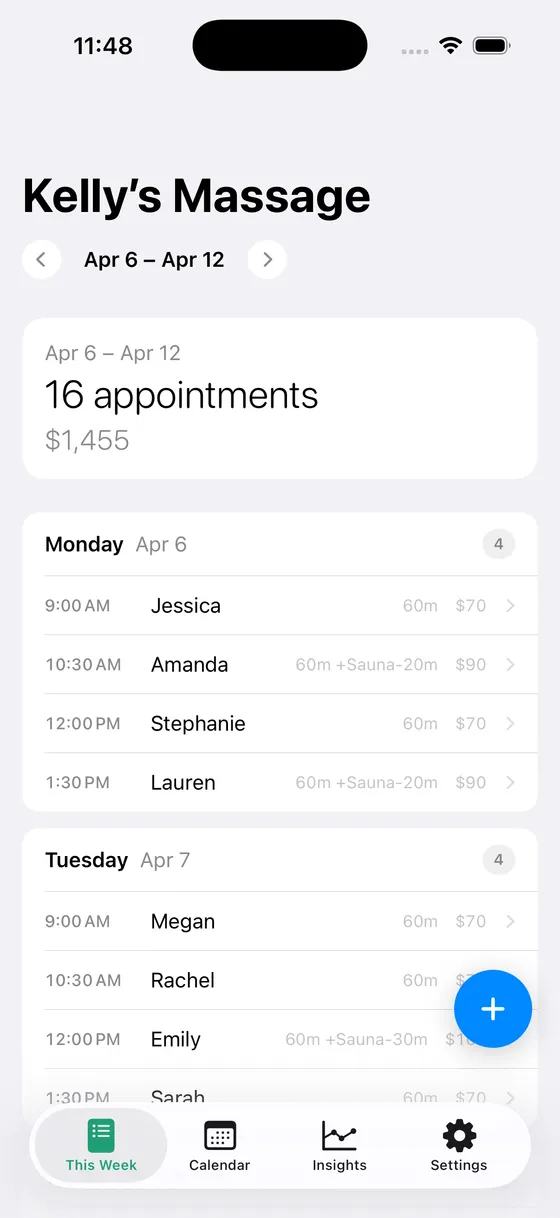
An event called “Massage: Jessica” becomes a visit for a client named Jessica, with the duration taken from the event's length and the price from your rates. If you have been putting the duration in the title, like “Jessica 90min”, Solo uses it. If your appointments share the calendar with other events, give Solo the keyword your appointments start with and it skips the rest.
Nothing moves
Your calendar stays exactly where it is. Solo doesn't copy your events into a database you can't leave. If you stop using Solo tomorrow, your calendar still has every appointment, and so does your family's shared view.
Coming from paper or a booking service
From a paper book, start fresh and let the history build from here. From a booking service, most of them can export your appointments as a calendar file. Import that into the Calendar app on your iPhone, then run Solo's setup against it.
The details
- ✓ Clients and visit history created from existing calendar events
- ✓ Optional keyword prefix to pick appointments out of a mixed calendar
- ✓ Durations read from event length or from the title
- ✓ Setup is read-only; Solo writes to the calendar only when you book
- ✓ Run setup again from Settings if you change calendars or prefixes
Who uses this
Solo is built for people who schedule their own clients.
Questions
- Will setup change anything in my calendar?
- No. Setup only reads. Solo adds or edits events only when you book, change, or cancel an appointment in the app.
- Can I change the prefix or the calendar later?
- Yes. Settings has a Run Setup Again option that walks through the same steps.
- My appointments are in Google Calendar. Does that work?
- Yes. Add the Google account to your iPhone so it shows in the Calendar app, then choose it during setup.
Simple pricing
Start free. Upgrade when you're ready.
Free
Up to 3 clients
- ✓ Calendar sync
- ✓ Appointment scheduling
- ✓ Current year insights
Solo Pro
per month
- ✓ Unlimited clients
- ✓ Full historical insights
- ✓ Cash flow forecasting
- ✓ Revenue trends
Solo Pro
per year (2 months free)
- ✓ Everything in monthly
- ✓ Best value
Ready to simplify your schedule?
Download Solo Scheduling and get set up in under two minutes.
Download for iOS